How to Invoke Python, VBScript, JavaScript, and Shell Scripts in UiPath
From: EvoCrux Systems Team
Learn how to integrate Python scripts with UiPath using Python Activities. EvoCrux Systems walks you through setting up Python Scope, invoking methods, and converting outputs for seamless automation workflows. UiPath makes it easy to bring the power of scripting into your automation workflow. With its ability to integrate Python, VBScript, JavaScript, and Shell scripts, organizations gain more flexibility in automating repetitive tasks and extending functionality. In this article, we’ll focus on using UiPath with Python scripts and walk through the key steps required to invoke methods, pass arguments, and retrieve results to enhance your RPA workflows.
Python Integration in UiPath
UiPath provides a Python Activity Pack that allows users to directly invoke Python scripts and methods from Studio. With this pack, you can:
• Run custom Python scripts
• Pass input arguments to invoked methods
• Retrieve output values into your automation workflow
This makes integrating custom Python logic into UiPath both powerful and straightforward.
Understanding Python Scope
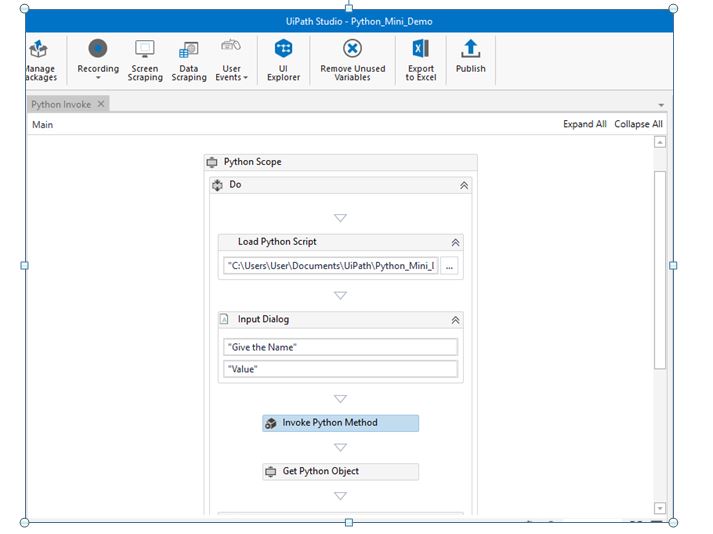
The Python Scope acts as a container for Python activities. It initializes the defined Python environment when started and deletes all Python objects once the activity ends. This ensures a clean setup and prevents resource leaks.
Before using Python in UiPath, make sure to install the Python package through the Manage Packages option in UiPath Studio.
Steps to Integrate Python Scripts in UiPath
The complete process can be broken into four simple steps:
1. Add Python Scope – Define the environment where Python scripts will run.
2. Load Script – Use the Load Python Script activity inside the scope to import your script.
3. Invoke Method – Call functions from your script using the Invoke Python Method activity.
4. Get Output – Convert the output object into a usable .NET datatype using the Get Python Object activity.
With these steps, you can seamlessly embed Python features into your automation flow.
def hello(name=None): if name is None: name = ‘stranger’ print(‘Hello’, name) return ‘Hello ‘ + name
from datetime import datetime
now = datetime.now() data = now.strftime(“%m/%d/%Y %H:%M:%S”)
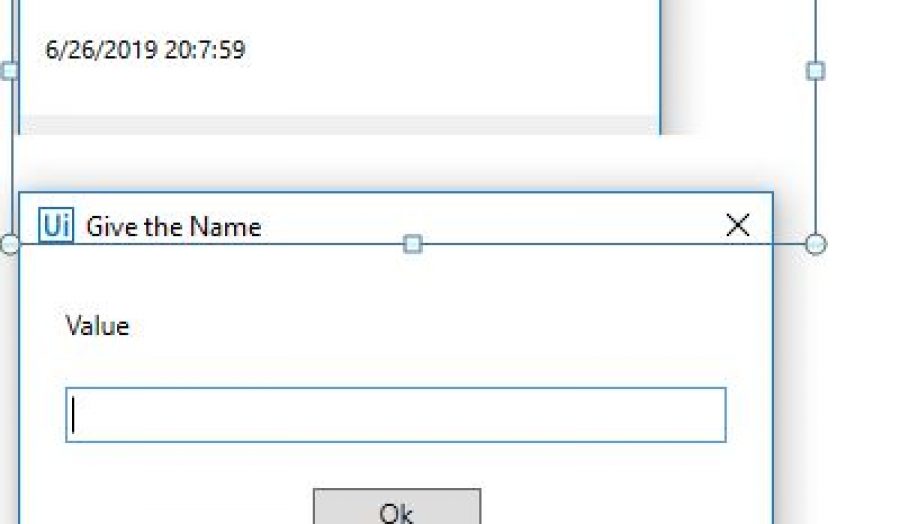
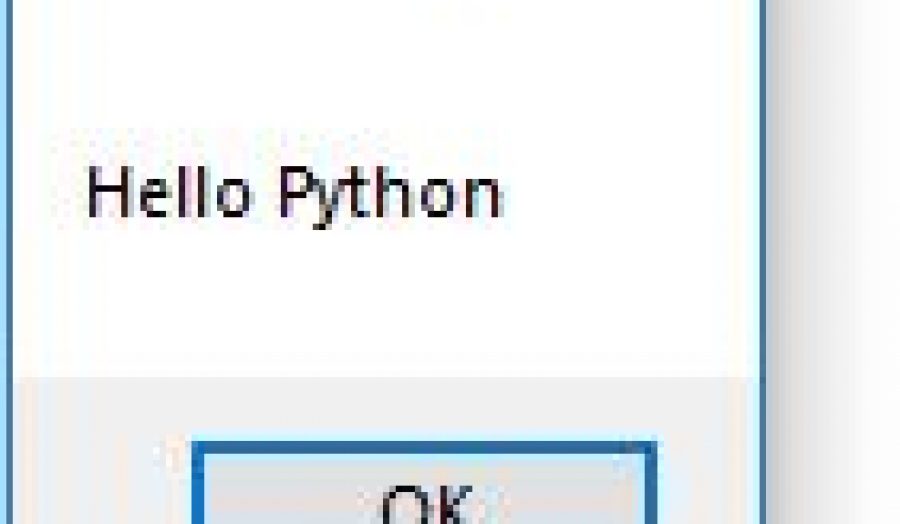
Output: The script displays a timestamp in a message box along with a personalized greeting.
Expanding Beyond Python: Upcoming Features
While this overview focused on Python, UiPath can also work with VBScript, JavaScript, and Shell scripts. In the following articles, EvoCrux Systems will explore how to integrate these scripting languages into UiPath workflows to help organizations extend automation functionality even further.
Ready to get started?
Have a question about RPA or Automation using UIPATH or how to get started on RPA? We're always happy to help you .

42 Comments
https://shorturl.fm/FV7cT
https://shorturl.fm/y0JJR
https://shorturl.fm/Y6ZYs
https://shorturl.fm/lAaBG
https://shorturl.fm/ZmISR
https://shorturl.fm/BJ7aP
https://shorturl.fm/lt2C9
Enter your invite code to earn your airdrop on Aster https://is.gd/ZceEI6
Become our affiliate—tap into unlimited earning potential!
Become our affiliate—tap into unlimited earning potential!
Boost your earnings effortlessly—become our affiliate!
Earn passive income on autopilot—become our affiliate!
Be rewarded for every click—join our affiliate program today!
Get started instantly—earn on every referral you make!
Promote, refer, earn—join our affiliate program now!
https://shorturl.fm/HTEtf
https://shorturl.fm/4ke7J
https://shorturl.fm/jkyjI
https://shorturl.fm/thpBQ
https://shorturl.fm/mEqv1
https://shorturl.fm/XRUCF
https://shorturl.fm/xVygt
https://shorturl.fm/WJ2xt
https://shorturl.fm/HrVZI
https://pesnimp3.net
https://shorturl.fm/r46sR
https://shorturl.fm/nyhbN
https://shorturl.fm/skjEa
https://shorturl.fm/tgaxT
https://shorturl.fm/zW4l0
Популярные песни 2026 скачать бесплатно https://shorturl.fm/dfuzp
Популярные песни 2026 скачать бесплатно https://shorturl.fm/dfuzp
Последние новинки музыки 2026 скачать бесплатно – https://shorturl.fm/rrdv9
https://shorturl.fm/u0Gku
https://shorturl.fm/zis2r
https://shorturl.fm/P5FAC
https://shorturl.fm/78in5
https://shorturl.fm/udPUM
https://shorturl.fm/Kqq9n
https://shorturl.fm/ndGkx
https://shorturl.fm/HBW3M
https://addlinks.pro/gReqZ